> ## Documentation Index
> Fetch the complete documentation index at: https://dripart-mintlify-b90d3c69.mintlify.site/llms.txt
> Use this file to discover all available pages before exploring further.
# ImageStitch - ComfyUI Built-in Node Documentation
> Complete documentation for the ImageStitch node in ComfyUI. Learn its inputs, outputs, parameters and usage.
This node allows you to stitch two images together in a specified direction (up, down, left, right), with support for size matching and spacing between images.
## Inputs
| Parameter Name | Description | Data Type | Input Type | Default | Range |
| ------------------ | ----------------------------------------------------------------------------- | --------- | ---------- | ------- | -------------------------- |
| `image1` | The first image to be stitched | IMAGE | Required | - | - |
| `image2` | The second image to be stitched, if not provided returns only the first image | IMAGE | Optional | None | - |
| `direction` | The direction to stitch the second image: right, down, left, or up | STRING | Required | right | right/down/left/up |
| `match_image_size` | Whether to resize the second image to match the dimensions of the first image | BOOLEAN | Required | True | True/False |
| `spacing_width` | Width of spacing between images, must be an even number | INT | Required | 0 | 0-1024 |
| `spacing_color` | Color of the spacing between stitched images | STRING | Required | white | white/black/red/green/blue |
> For `spacing_color`, when using colors other than "white/black", if `match_image_size` is set to `false`, the padding area will be filled with black
## Outputs
| Output Name | Description | Data Type |
| ----------- | ------------------ | --------- |
| `IMAGE` | The stitched image | IMAGE |
## Workflow Example
In the workflow below, we use 3 input images of different sizes as examples:
* image1: 500x300
* image2: 400x250
* image3: 300x300
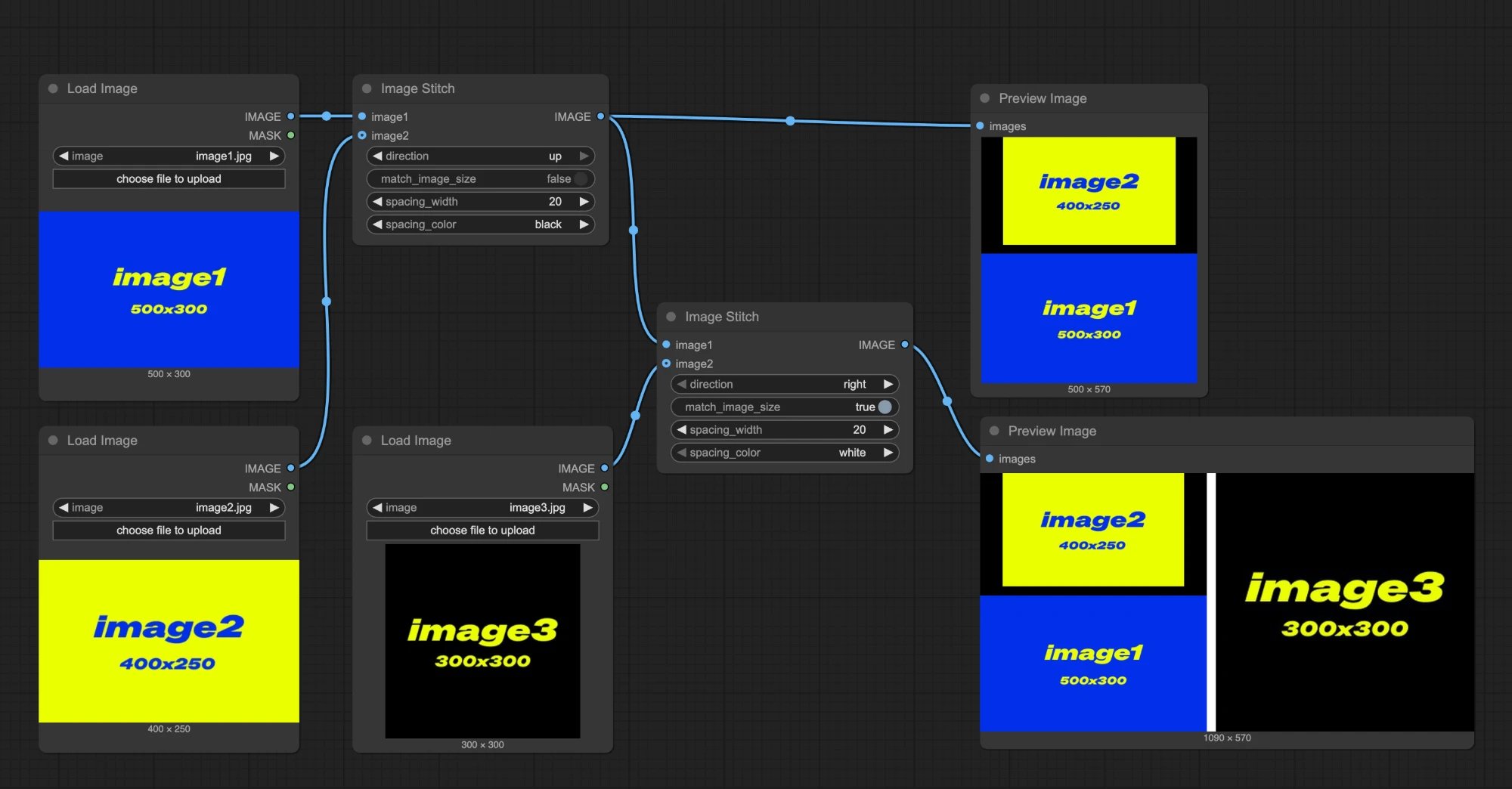 **First Image Stitch Node**
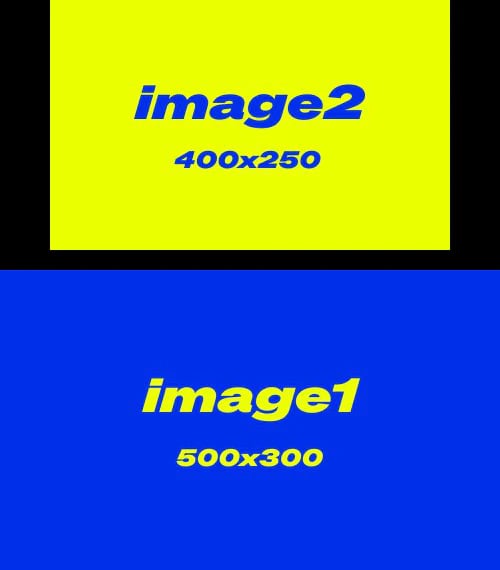
* `match_image_size`: false, images will be stitched at their original sizes
* `direction`: up, `image2` will be placed above `image1`
* `spacing_width`: 20
* `spacing_color`: black
Output image 1:
**First Image Stitch Node**
* `match_image_size`: false, images will be stitched at their original sizes
* `direction`: up, `image2` will be placed above `image1`
* `spacing_width`: 20
* `spacing_color`: black
Output image 1:
 **Second Image Stitch Node**
* `match_image_size`: true, the second image will be scaled to match the height or width of the first image
* `direction`: right, `image3` will appear on the right side
* `spacing_width`: 20
* `spacing_color`: white
Output image 2:
**Second Image Stitch Node**
* `match_image_size`: true, the second image will be scaled to match the height or width of the first image
* `direction`: right, `image3` will appear on the right side
* `spacing_width`: 20
* `spacing_color`: white
Output image 2:
 > This documentation was AI-generated. If you find any errors or have suggestions for improvement, please feel free to contribute! [Edit on GitHub](https://github.com/Comfy-Org/embedded-docs/blob/main/comfyui_embedded_docs/docs/ImageStitch/en.md)