

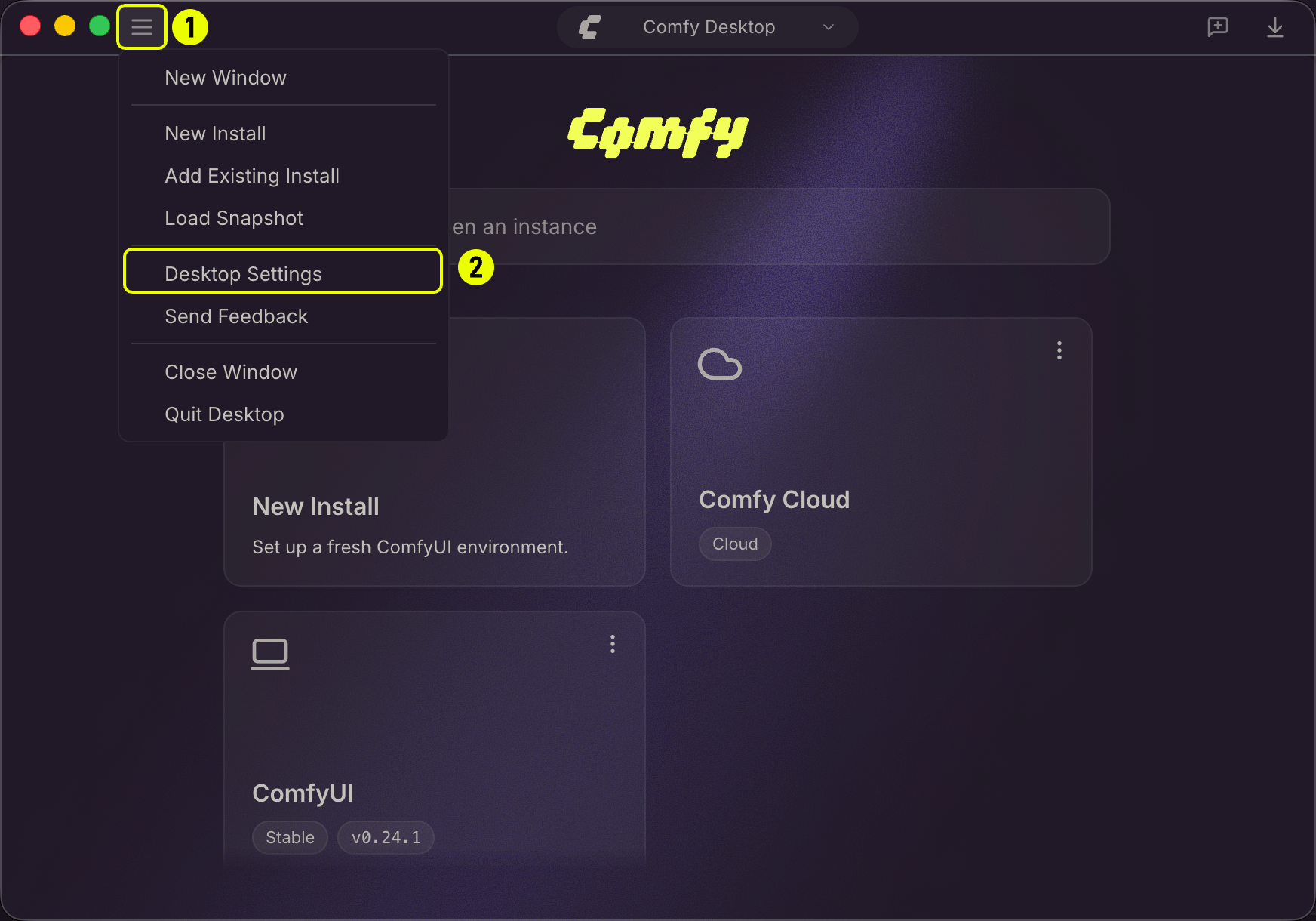
Preferences
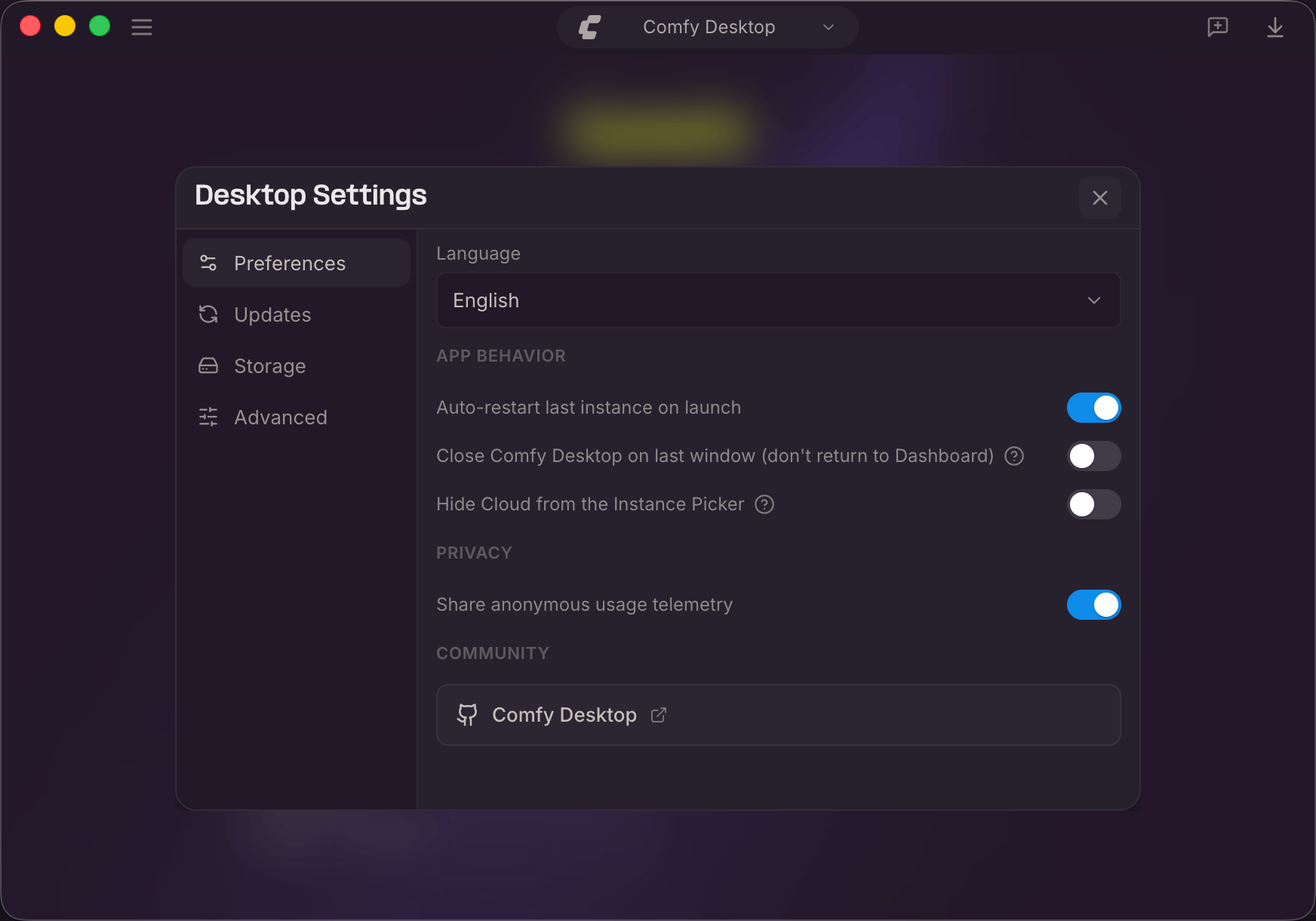
- Language:Choose the display language: English or 中文.
- Auto-restart last instance on launch — Automatically start the last used instance on boot.
- Close Comfy Desktop on last window (don’t return to Dashboard):Fully exit instead of returning to the Dashboard when the last window closes.
- Hide Cloud from the Instance Picker:Hide cloud instances from the Chooser view.
- Share anonymous usage telemetry:Send anonymous usage data to help improve Comfy Desktop.
- Comfy Desktop:Link to the ComfyDesktop GitHub repository.
Updates
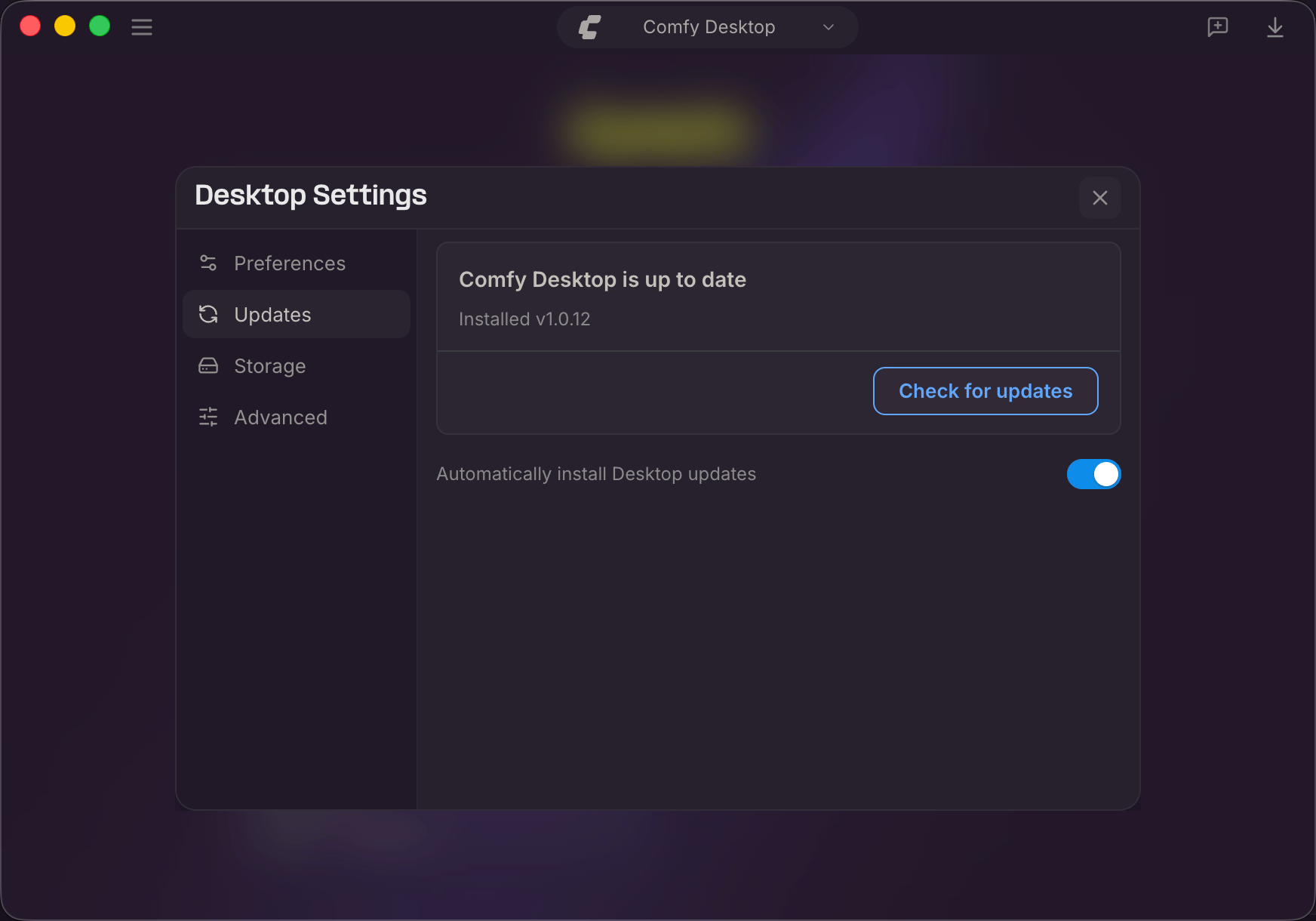
- Status:Shows whether Comfy Desktop is up to date, the installed version, and the last check time.
- Check for updates:Manually check for a new version. Button changes to Download → Install when an update is available.
- Automatically install Desktop updates:Auto-download and install updates in the background.
Storage
The Storage tab is where you configure where Comfy Desktop finds and stores files. The key concept is sharing: instead of each instance having its own isolated models, inputs, and outputs, you set up shared directories accessible to all instances.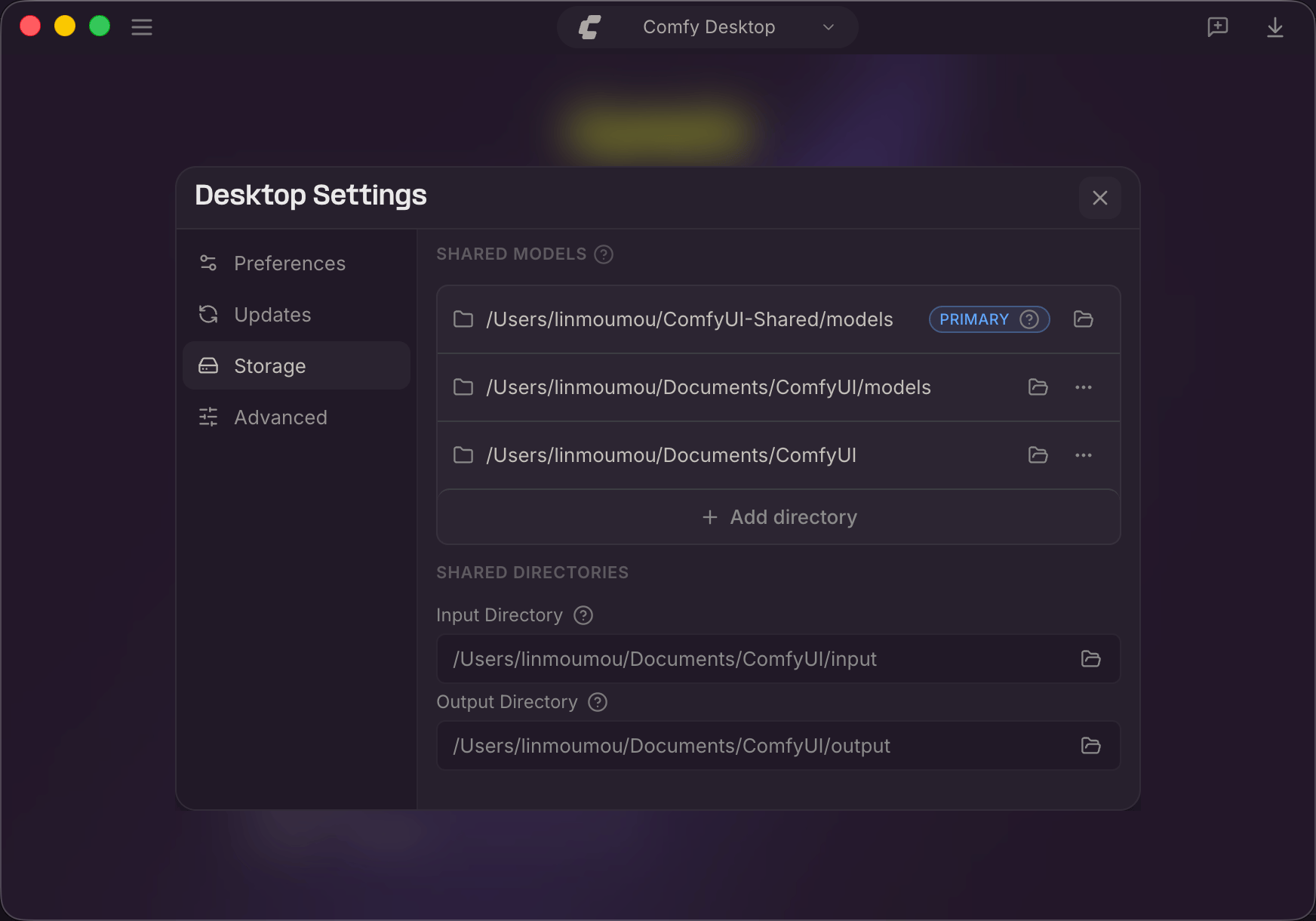
-
Shared Models:Each directory listed here is scanned for models by every instance. The directory marked Primary is where new models are saved by default.
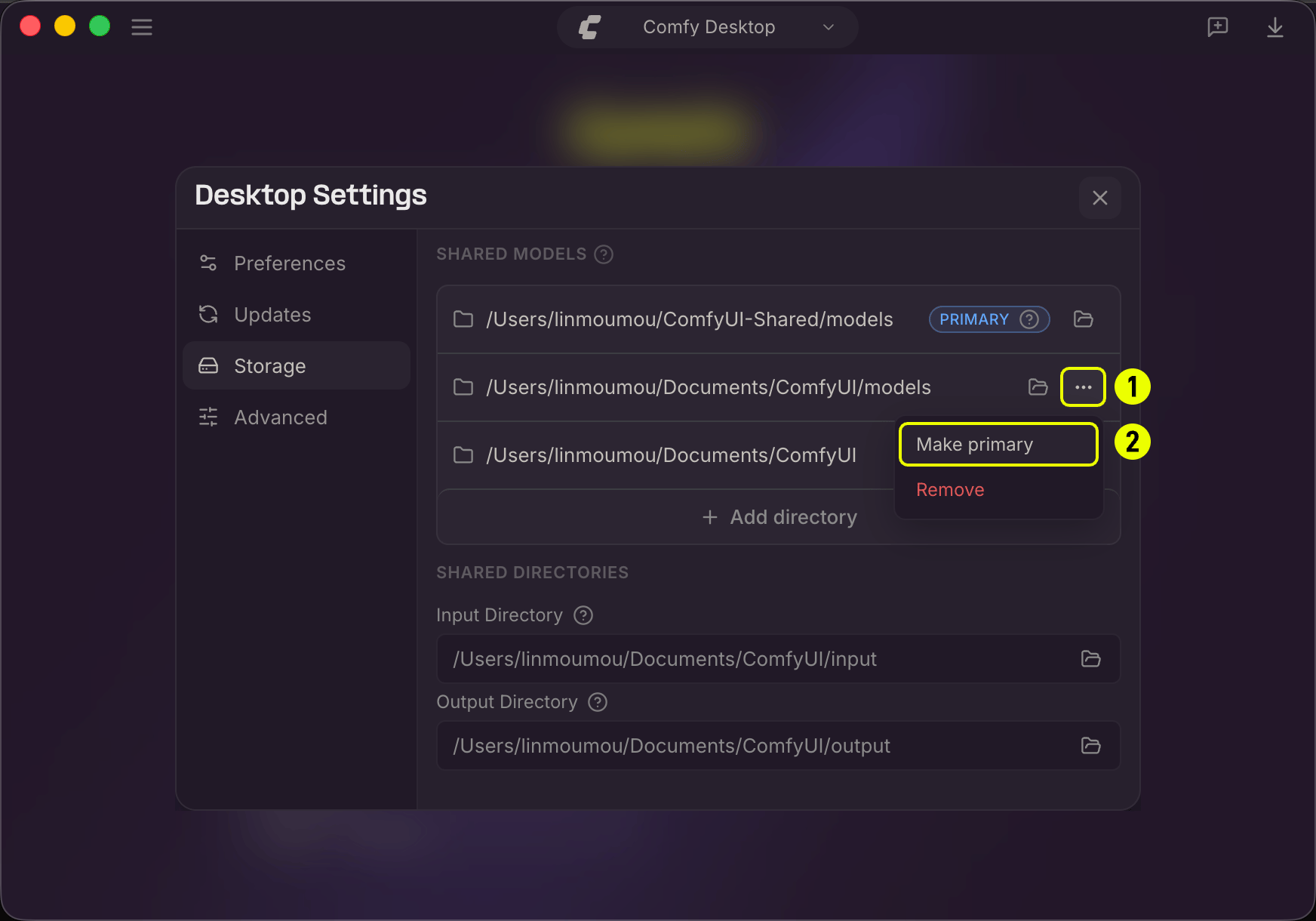
- Click the folder icon to open a directory in your file manager.
- Click the … menu (1) on a directory, then select Make primary (2) to change which directory new models save to.
- Click + Add directory to add more model directories.
- Input Directory:A shared path where all instances look for input files (images, videos, etc.).
- Output Directory:A shared path where all instances save generated outputs. Customizing this lets you keep all results in one place.
- Click the folder icon to browse and select a new path. ? tooltips provide additional details.
Advanced
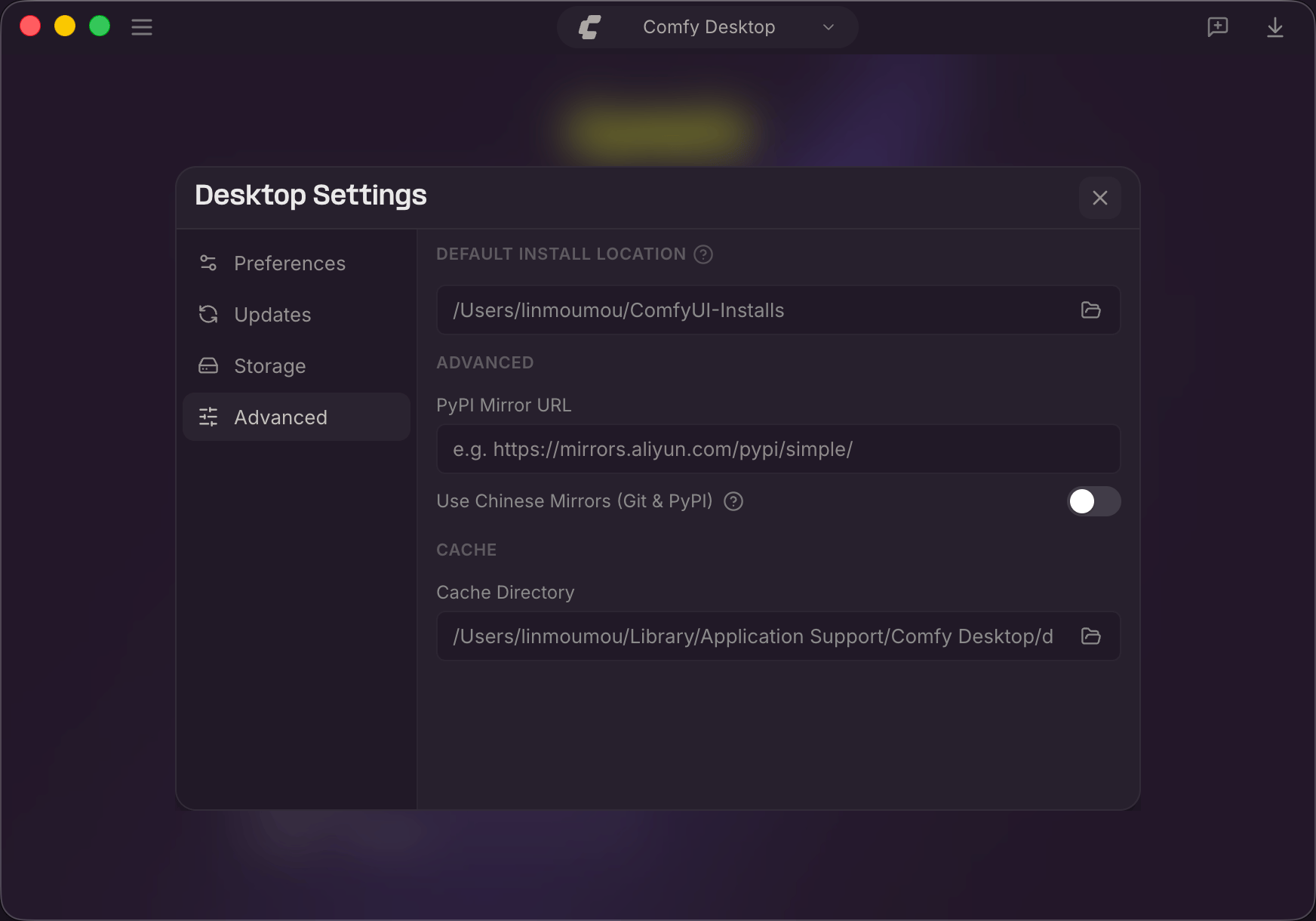
- Default Install Location:Where new standalone instances are created. Click the folder icon to change it.
- PyPI Mirror URL:Custom pip mirror (e.g.,
https://mirrors.aliyun.com/pypi/simple/). - Use Chinese Mirrors (Git & PyPI):Use Chinese mirror servers for Git and PyPI. Helpful in mainland China.
- Cache Directory:Where Comfy Desktop stores temporary and cached data. Click the folder icon to change it.
Data Locations
Comfy Desktop stores data in platform-specific directories.- Windows
- macOS
- Linux
Keyboard Shortcuts
Feedback and Issues
Found a bug or have a suggestion? Comfy Desktop is open source. You can report issues and check planned features here:- Comfy Desktop issues — github.com/Comfy-Org/Comfy-Desktop/issues
- Documentation issues — github.com/Comfy-Org/docs/issues